Videos, lives, channels and language rooms
Watch and publish subtitled videos, follow translated lives, create a channel, join a language room.
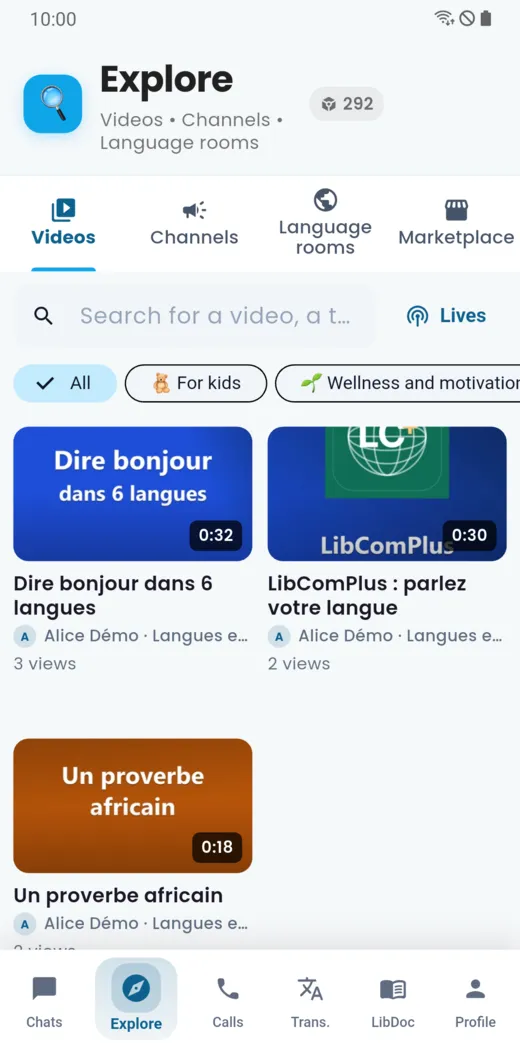
The Explore tab brings together what is published in LibComPlus: videos, channels, language rooms and the marketplace. Everything is readable in your language.
Videos and lives
In Videos, scroll through published videos, search for one, or filter by category. Subtitles appear in each viewer’s language.
The Lives button lists live broadcasts, upcoming ones and replays. For a live, each viewer follows it with subtitles and a translated voice in their own language.
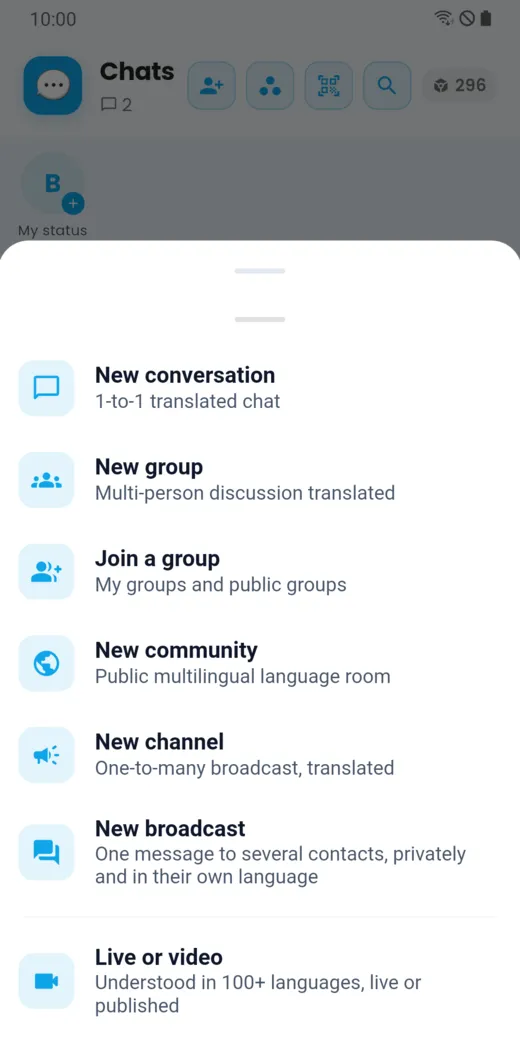
To publish a video or start a live, open the create menu in the Chats tab and choose Live or video.
Channels
A channel is for publishing to several people: each subscriber reads your posts in their language and can listen to them.
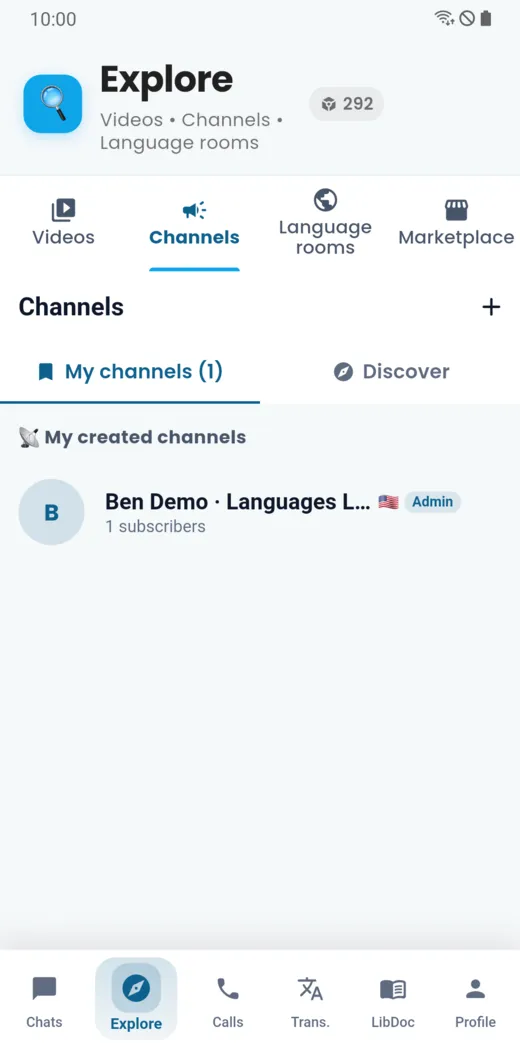
- Discover lists existing channels.
- My channels lists the ones you created.
- The + button (“Create a channel”) starts creating a channel.
Language rooms
A language room is a public space where people meet around a language or a theme. Messages in it are translated for everyone.
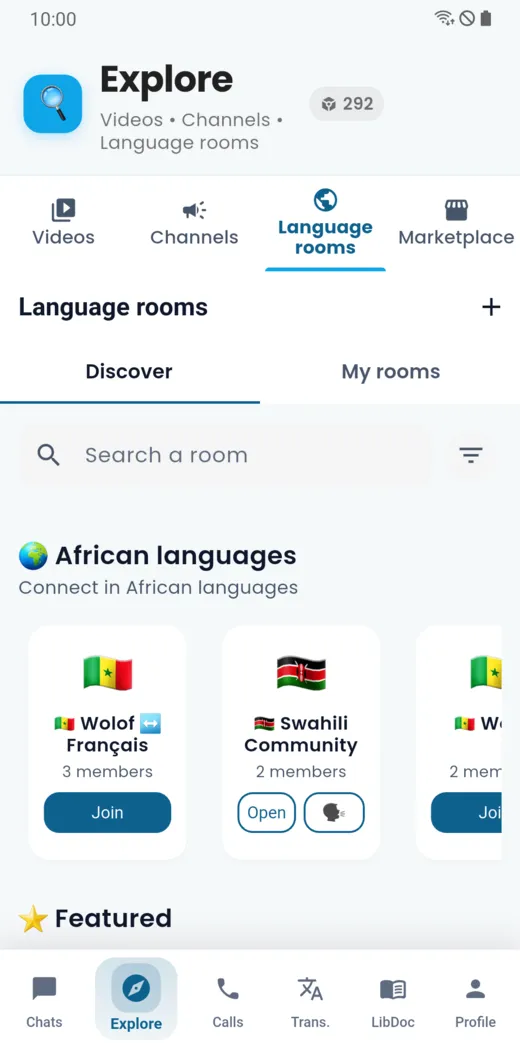
- Discover offers rooms, with a filter by language; a section is dedicated to African languages.
- Join takes you into a room; Open returns to a room you already joined.
- My rooms lists the ones you take part in.
- “Create the room” opens a new one.
Communities
A community is a multilingual public space on a theme. In its groups, messages are translated for everyone. Create one from the create menu of the Chats tab.
Doesn’t this page answer your question?
Ask it in the help window, or write to [email protected].
Ask a question