LibDoc: your documents
Import a document, listen to it, summarise it, make flashcards and a quiz from it, and ask it questions.
LibDoc is your library of documents: a contract, a lesson, a letter, a scanned notebook. LibDoc translates them, reads them aloud and helps you remember them.
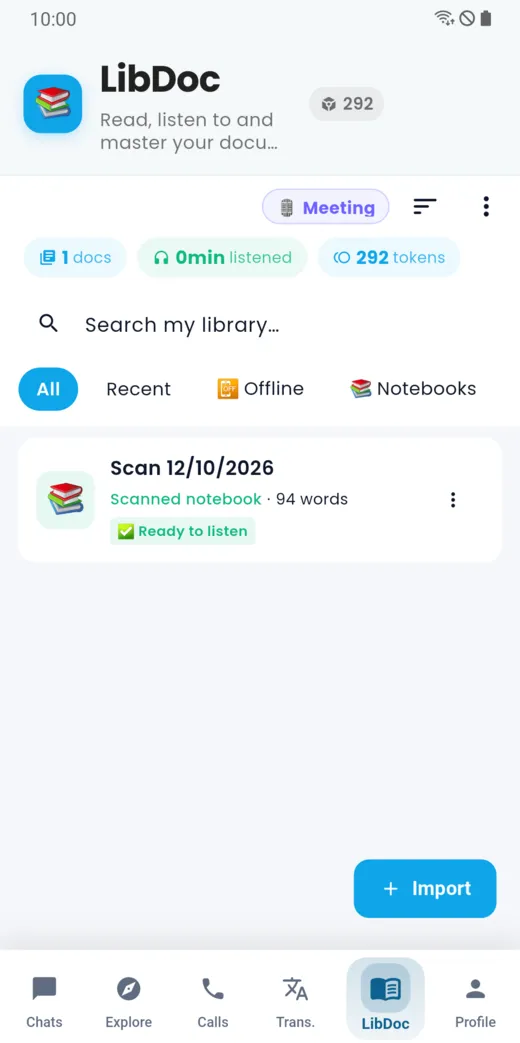
Your library
The LibDoc tab lists your documents, with their word count and status (“Ready to listen”). The All, Recent, Offline and Notebooks filters help you find a document, and so does the search box.
Import a document
Tap Import.
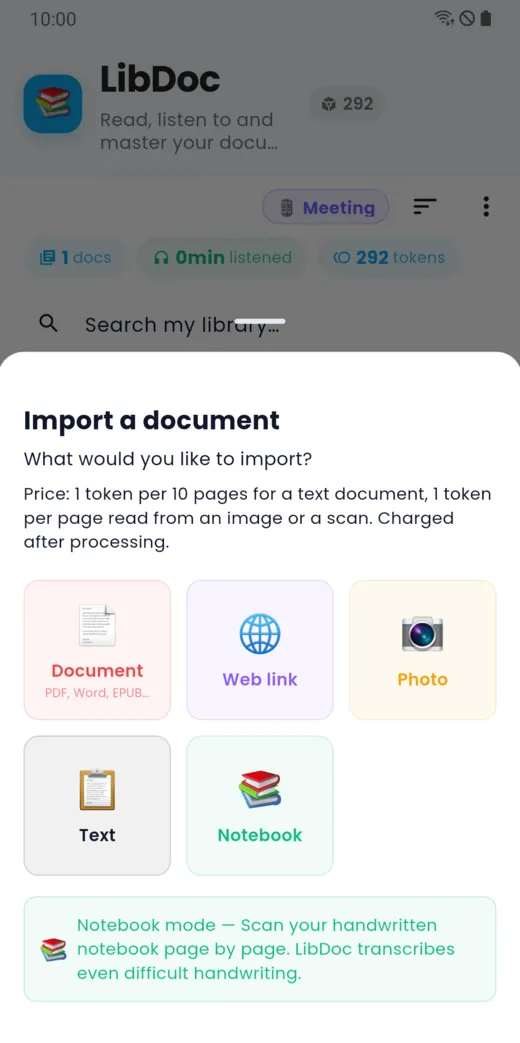
You can import:
- a document (PDF, Word, EPUB…);
- a web link;
- a photo of a page;
- a text you paste;
- a notebook: Notebook mode scans a handwritten notebook page by page and transcribes it, even when the handwriting is hard to read.
The import price is shown, and charged after processing.
A document’s tools
Tap a document to open its tools. The price of each one is shown on its card.
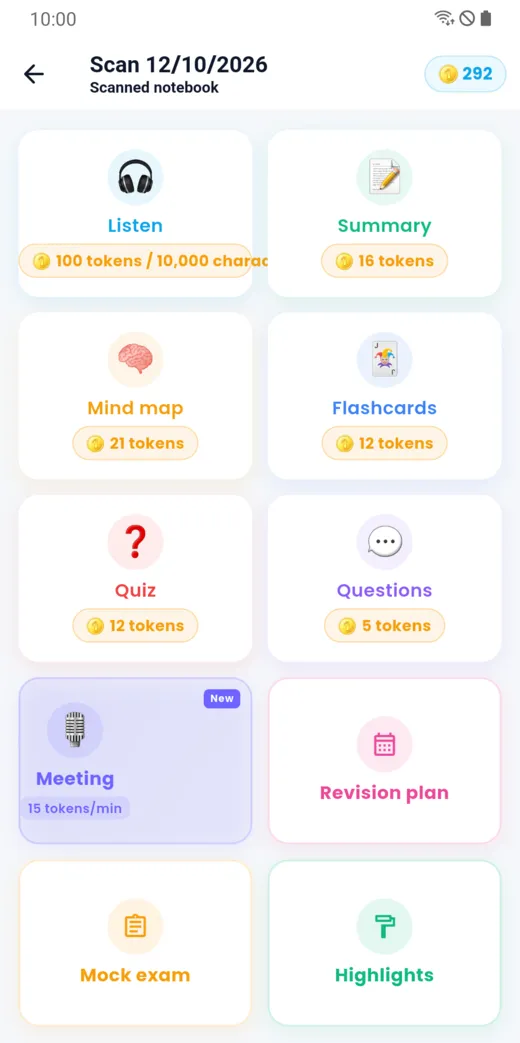
- Listen: read aloud.
- Summary: a short version.
- Mind map: the ideas laid out as a diagram.
- Flashcards: question-and-answer cards to revise.
- Quiz: questions to test yourself.
- Questions: ask the document your own questions.
- Meeting: record and summarise a meeting (see the guide “Transcribed meetings”).
- Revision plan, Mock exam and Highlights.
Summarise a document
Tap Summary, choose the type of summary, then Generate with LibDoc.
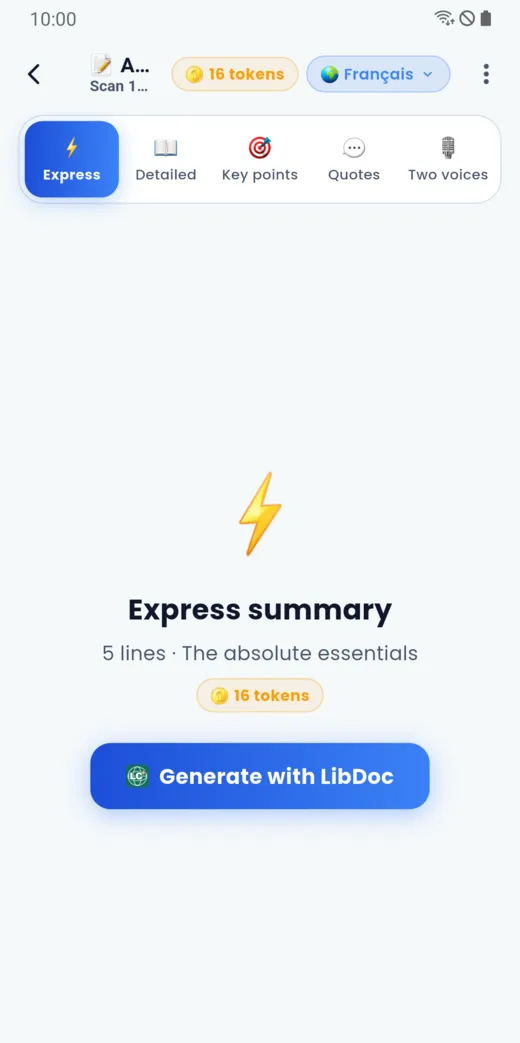
The types offered are Express (5 lines, the essentials), Detailed, Key points, Quotes and Two voices. The summary language is chosen at the top of the screen.
Listen in the background
Reading aloud carries on when you leave the app, with a playback notification. You stop it from the notification.
Doesn’t this page answer your question?
Ask it in the help window, or write to [email protected].
Ask a question