

Transcribed meetings
Record a meeting to get its transcript, its summary and a translated report.
For a meeting held in several languages, or to forget nothing of a meeting held in one, LibComPlus can record it, transcribe it and write its summary.
Start a recording
- Open the LibDoc tab.
- Tap the Meeting button at the top of the screen.
- In the window that opens, choose Record a meeting: “Audio capture + transcript + multilingual summary”.
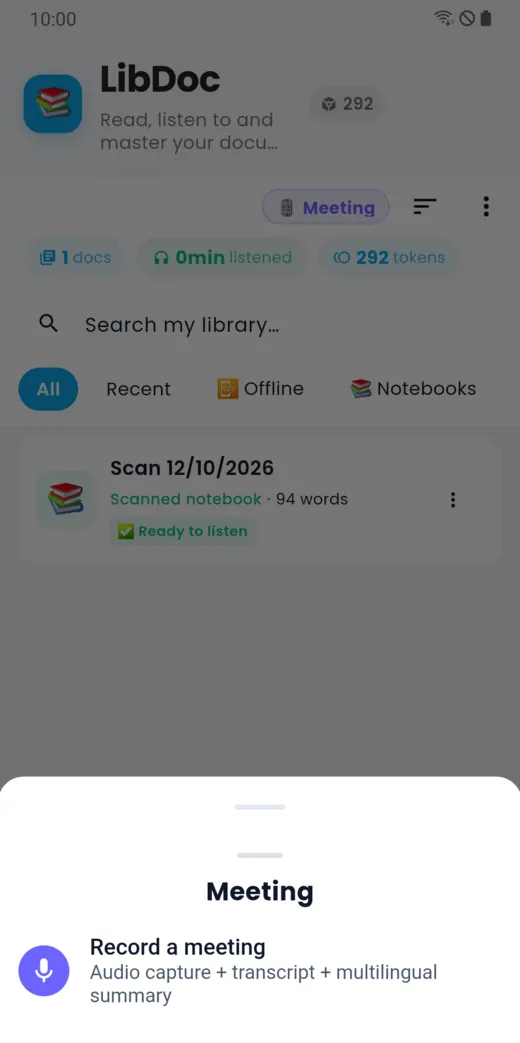
Your phone’s microphone picks up the meeting. Tell the people present before you record: a recording concerns everyone who speaks.
What you get
- the transcript of what was said;
- the speakers told apart from one another;
- a written summary;
- a report you can have translated.
The meeting appears in your LibDoc library, under the Meetings filter. See the guide “LibDoc: your documents”.
The price
The meeting is charged per recorded minute. The price per minute is shown on the Meeting card in a document’s tools in LibDoc, before you start anything.
Doesn’t this page answer your question?
Ask it in the help window, or write to [email protected].
Ask a question