Tokens, subscriptions and payments
What tokens are for, what is free, how to buy some on the website and how to ask for a refund.
What tokens are for
Tokens pay for what has a cost: translation, transcription, synthetic voice, calls beyond the included time. What costs nothing stays free. The price in tokens is shown before you start a translation, a summary or an import.
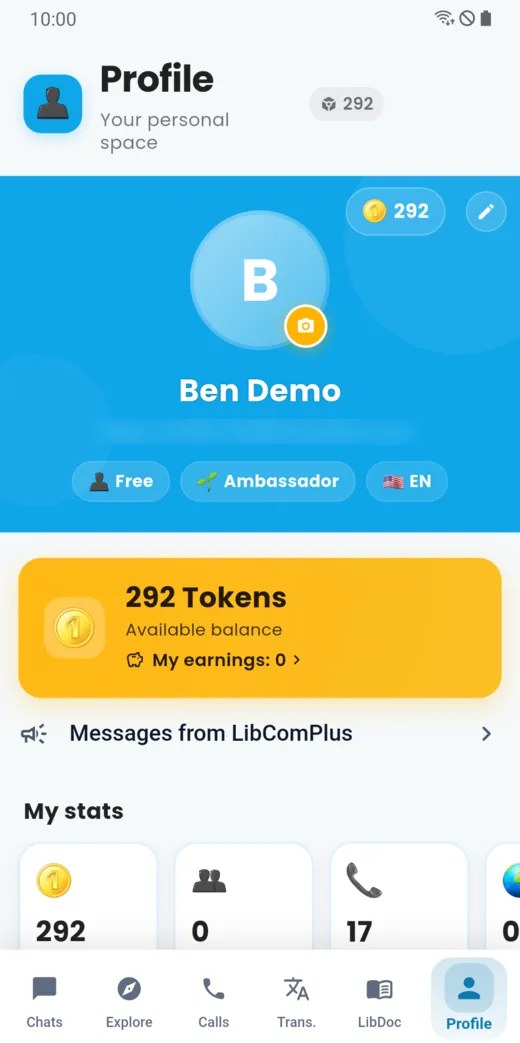
Your balance is at the top of the Profile screen, and next to the title of each tab.
What is free
- Messages in the same language: writing or sending a voice message to someone who speaks your language costs nothing.
- Calls without translation: each plan, the free one included, includes a daily amount of audio call time. Beyond that, and for video, a call uses a few tokens per minute.
- Free tokens at sign-up: they are offered with no bank card and valid for one month.
Subscriptions
A subscription gives a quantity of tokens each month. The detail of each plan, with its price and tokens, is on the Pricing page of the site. Subscription tokens expire at the end of each month; a subscription paid by bank card renews every month until you cancel it.
Buy tokens
Purchases are made on the website, not in the app.
- Go to the Buy tokens page of
libcomplus.com. - Sign in with the same account as in the app: phone number or email address, and password.
- Choose a token pack or a subscription.
- Pay by bank card or Mobile Money, in the countries where the service is open.
The price shown is the price you pay: no tax is added. For Mobile Money, the amount is converted into your country’s currency and shown on your phone before you confirm. Purchased tokens are valid for 90 days.
You can also pay for someone close to you: the tokens go to the account you specify.
Get a refund
Write to [email protected] within fourteen days of the purchase: unused tokens are refunded. The refund policy details the conditions.
Refer your loved ones
On the Profile screen, the Referral programme card shows your referral code and buttons to share it. You earn tokens when the people you refer become paying members.
Doesn’t this page answer your question?
Ask it in the help window, or write to [email protected].
Ask a question